
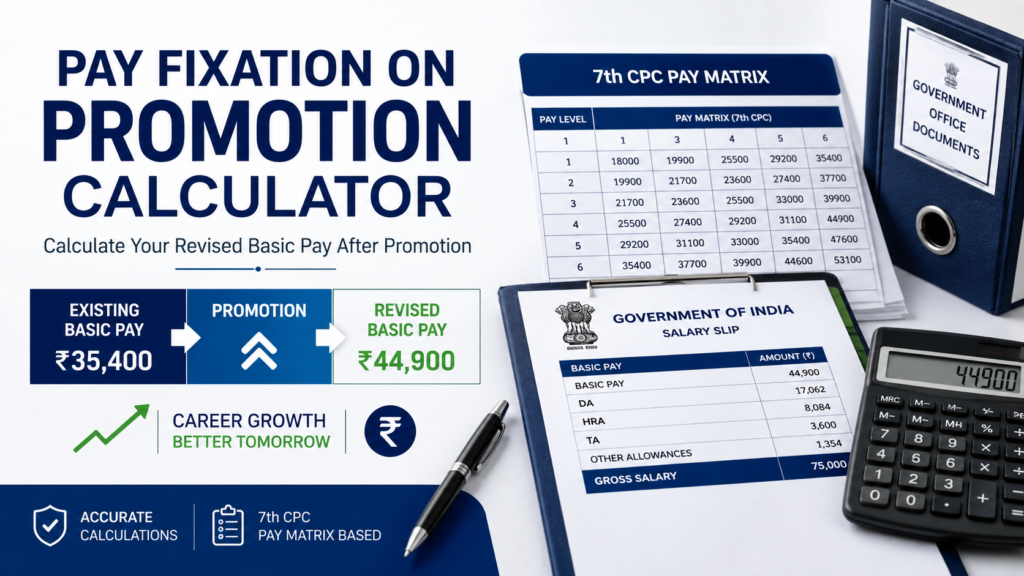
Pay Fixation Calculator
Calculate revised basic pay after promotion under the 7th CPC Pay Matrix.
Current Pay Details
Promotion Details
Date of Next Increment
Calculation Breakdown
How to Use the Pay Fixation Calculator
Pay fixation after promotion can be confusing, especially when you have to compare the option of fixing pay from the date of promotion with the option of fixing it from the date of your next increment. Our Pay Fixation Calculator is designed to make this calculation easier for Central Government employees covered under the 7th CPC Pay Matrix.
What Does the Pay Fixation Calculator Calculate?
The calculator helps you estimate your revised basic pay when you are promoted from one Pay Level to a higher Pay Level.
You can calculate pay using two options:
- Fix pay from the Date of Promotion – calculates fixation based on the normal promotion method.
- Fix pay from the Date of Next Increment – calculates the applicable fixation when the employee opts to have the pay re-fixed from the DNI.
The calculation is based on the 7th CPC Pay Matrix and the applicable provisions of the CCS (Revised Pay) Rules, 2016. The Department of Expenditure publishes the relevant Central Government pay rules and clarifications. :contentReference[oaicite:0]{index=0}
How to Use the Pay Fixation Calculator
Step 1: Enter Your Current Basic Pay
Enter your existing basic pay exactly as it appears in your pay slip or service records.
For example, if your current basic pay is ₹29,600, enter 29600 in the Basic Pay field.
Step 2: Select Your Current Pay Level
Select the Pay Level in which you are currently drawing your basic pay.
For example:
| Particular | Example |
|---|---|
| Current Basic Pay | ₹29,600 |
| Current Pay Level | Level 4 |
| Promoted Pay Level | Level 5 |
Step 3: Select the Promoted Pay Level
Select the higher Pay Level to which you are being promoted.
The promoted Level should normally be higher than your existing Level. The calculator will use the appropriate Pay Matrix cells to determine the revised basic pay.
Step 4: Enter the Date of Promotion
Enter the actual date on which your promotion becomes effective.
This date is particularly important when you are considering the option of fixation from the Date of Next Increment.
Step 5: Choose Your Pay Fixation Option
This is the most important part of the calculator.
You can choose between:
- Fix Pay from Date of Promotion
- Fix Pay from Date of Next Increment
If you select the DNI option, the calculator will also ask for your existing Date of Next Increment.
Example of Pay Fixation After Promotion
Suppose an employee is drawing ₹29,600 in Level 4 and is promoted to Level 5.
Under the normal promotion fixation method, one increment is first allowed in the existing Level. The employee is then placed in the promoted Level at the cell equal to or immediately higher than the resulting amount.
₹29,600 → ₹30,500 after one increment in Level 4 → ₹31,000 in Level 5.
Therefore, in this example, the revised basic pay from the date of promotion would be ₹31,000.
What Happens When You Choose the DNI Option?
The DNI option works differently. The employee’s pay is initially fixed in the promoted Level from the date of promotion. On the Date of Next Increment, the applicable additional increment and subsequent re-fixation are considered as prescribed under the relevant rules and clarifications.
This is why the DNI option should not simply be treated as another way of calculating the normal promotion fixation.
The calculator shows the calculation in stages so that you can understand how the final basic pay is arrived at.
Why Use a Pay Fixation Calculator?
Manual pay fixation can involve several Pay Matrix cells and different dates. A small mistake in selecting the next higher cell can change the final result.
A calculator is useful for:
- Checking your expected basic pay after promotion
- Comparing the two fixation options
- Understanding the calculation step by step
- Checking the applicable Pay Matrix cell
- Getting a quick estimate before discussing the fixation with your Establishment or Accounts section
However, the calculator should be treated as a reference tool. The actual pay fixation should always be verified with the competent administrative or accounts authority, particularly in cases involving special service conditions, MACP, deputation, technical resignation, or other specific provisions.
Frequently Asked Questions
What is a pay fixation calculator?
A pay fixation calculator is a tool that estimates the revised basic pay of a Central Government employee after promotion by applying the applicable Pay Matrix and pay-fixation rules.
Which Pay Commission does this calculator use?
The calculator is designed for the 7th CPC Pay Matrix and the applicable CCS (Revised Pay) Rules, 2016.
Can I calculate pay fixation from the Date of Promotion?
Yes. Select Fix Pay from Date of Promotion and enter your current Basic Pay, existing Pay Level and promoted Pay Level.
Can I calculate fixation from the Date of Next Increment?
Yes. Select the Date of Next Increment option and enter your existing DNI. The calculator will show the relevant stages of the calculation.
Does promotion always mean one increment?
Under the normal promotion fixation method under Rule 13, one increment in the existing Level is used for fixation before placing the employee in the higher Level at the equal or next higher cell. However, the applicable treatment can differ where a specific rule, option or special provision applies. :contentReference[oaicite:1]{index=1}
Is the result of this calculator an official pay-fixation order?
No. The result is only an indicative calculation. Your final pay fixation should be verified by the competent authority in your department.
Where can I check the official pay-fixation rules?
The Department of Expenditure, Ministry of Finance publishes the Central Government pay rules, orders and clarifications. Its pay-related archive also contains documents relating to the CCS (Revised Pay) Rules, 2016 and subsequent clarifications. :contentReference[oaicite:2]{index=2}
Related CGStaffTools Resources
If you are checking your salary or service benefits after promotion, you may also find these CGStaffTools resources useful:
For official references, you can also refer to the Department of Expenditure, Ministry of Finance, including its collection of Central Pay Commission orders and pay-related clarifications. :contentReference[oaicite:3]{index=3}